Frequently Asked Questions
Why is my metal filament producing weak or brittle prints during 3D printing?
Weak or brittle prints from your metal filament during 3D printing are often due to moisture absorption or inadequate temperature settings. Using the Filawarmer can help mitigate these issues by preconditioning the filament, ensuring optimal performance and stronger prints.
How to fix brittle filament?
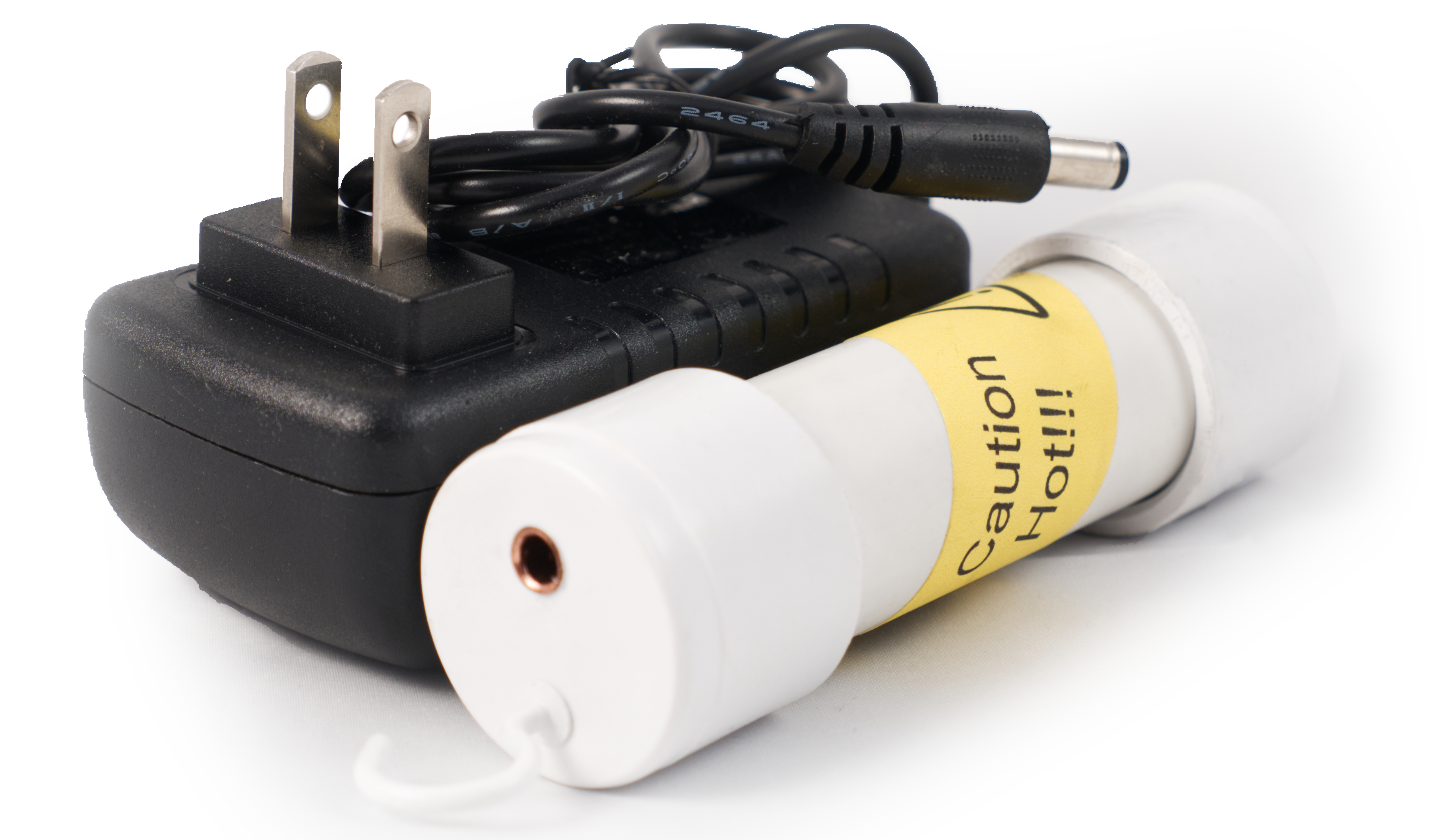
To fix brittle filament, consider using a Filawarmer to preheat the filament before printing. This process enhances flexibility and reduces brittleness, ensuring smoother extrusion and improved print quality.
What causes weak prints in metal filament?
Weak prints in metal filament are typically caused by issues such as improper temperature settings, insufficient filament conditioning, or inadequate layer adhesion, all of which can lead to brittleness and compromised structural integrity in the final print.
How can I prevent brittle filament issues?
Preventing brittle filament issues involves properly storing your filaments in a dry environment and using the Filawarmer to preheat the filament before printing, ensuring optimal flexibility and reducing the risk of breakage during the 3D printing process.
What settings improve metal filament printing?
The settings that improve metal filament printing include optimizing the print temperature, adjusting the print speed, and ensuring proper bed adhesion. Utilizing the Filawarmer can also help maintain filament flexibility, reducing brittleness during the printing process.
How does temperature affect filament strength?
Temperature significantly affects filament strength by influencing its molecular structure. Higher temperatures can enhance filament flexibility and adhesion, while lower temperatures may lead to brittleness and reduced strength, especially in materials like metal filaments.
Can humidity impact filament quality?
Humidity can significantly impact filament quality. High humidity levels can lead to moisture absorption in filaments, causing brittleness and poor print adhesion, ultimately affecting the overall printing performance and results.
What are signs of filament brittleness?
The signs of filament brittleness include visible cracks, snapping during handling, and difficulty in feeding through the printer. These issues can lead to inconsistent printing results and may necessitate the use of a Filawarmer for improved performance.
How to store metal filament properly?
Proper storage of metal filament is essential for maintaining its quality. Store it in a cool, dry place, preferably in an airtight container with desiccants to prevent moisture absorption and ensure optimal printing performance.
What tools help fix brittle filament?
Tools that help fix brittle filament include the Filawarmer, which preheats the filament to improve flexibility, and filament storage solutions that maintain optimal humidity levels to prevent brittleness.
How to identify filament compatibility issues?
Identifying filament compatibility issues involves checking for discrepancies between the filament type and your 3D printer's specifications. Look for signs such as inconsistent extrusion, poor adhesion, or unexpected warping, which may indicate incompatibility.
What is the ideal printing speed for metal filament?
The ideal printing speed for metal filament is typically between 20 to 40 mm/s. Slower speeds help ensure better layer adhesion and minimize the risk of defects, resulting in higher quality prints.
How does nozzle size affect filament performance?
The size of the nozzle significantly impacts filament performance by influencing the flow rate and extrusion speed. A larger nozzle allows for faster printing and thicker layers, while a smaller nozzle provides finer detail and better surface finish, especially with brittle filaments like Filamet™.
What maintenance is needed for filament warmers?
Maintenance for filament warmers involves regular cleaning of the heating elements and ensuring proper calibration for optimal performance. Additionally, check for any wear on electrical components and keep the device in a dry environment to prevent moisture damage.
How to troubleshoot weak prints in 3D models?
Troubleshooting weak prints in 3D models involves checking filament quality, ensuring proper temperature settings, and optimizing print speed and layer adhesion. Additionally, consider using the Filawarmer to enhance filament performance and reduce brittleness.
What materials work best with filament warmers?
The materials that work best with filament warmers are primarily metal filaments, such as those made from stainless steel, bronze, and copper, as well as other brittle materials that benefit from enhanced flexibility during the 3D printing process.
How to adjust print settings for brittle filament?
Adjusting print settings for brittle filament involves optimizing temperature, speed, and retraction settings. Increase the nozzle temperature slightly to improve flow, reduce print speed to minimize stress, and adjust retraction settings to prevent filament snapping.
What are common mistakes with metal filament?
Common mistakes with metal filament include inadequate drying, which can lead to brittleness, improper temperature settings that affect adhesion, and neglecting to use a Filawarmer, which enhances filament usability by reducing fragility during printing.
How to enhance adhesion with metal filament?
Enhancing adhesion with metal filament involves ensuring a clean and properly heated print bed. Utilize adhesives like glue sticks or specialized 3D printing adhesives, and consider preheating the filament with the Filawarmer to improve flow and bonding during printing.
What is the role of filament warmers?
The role of filament warmers is to maintain optimal temperature for 3D printing filaments, reducing brittleness and improving flow during the printing process. This enhances the overall print quality and reliability, especially for materials like Filamet™.
How to ensure consistent filament temperature?
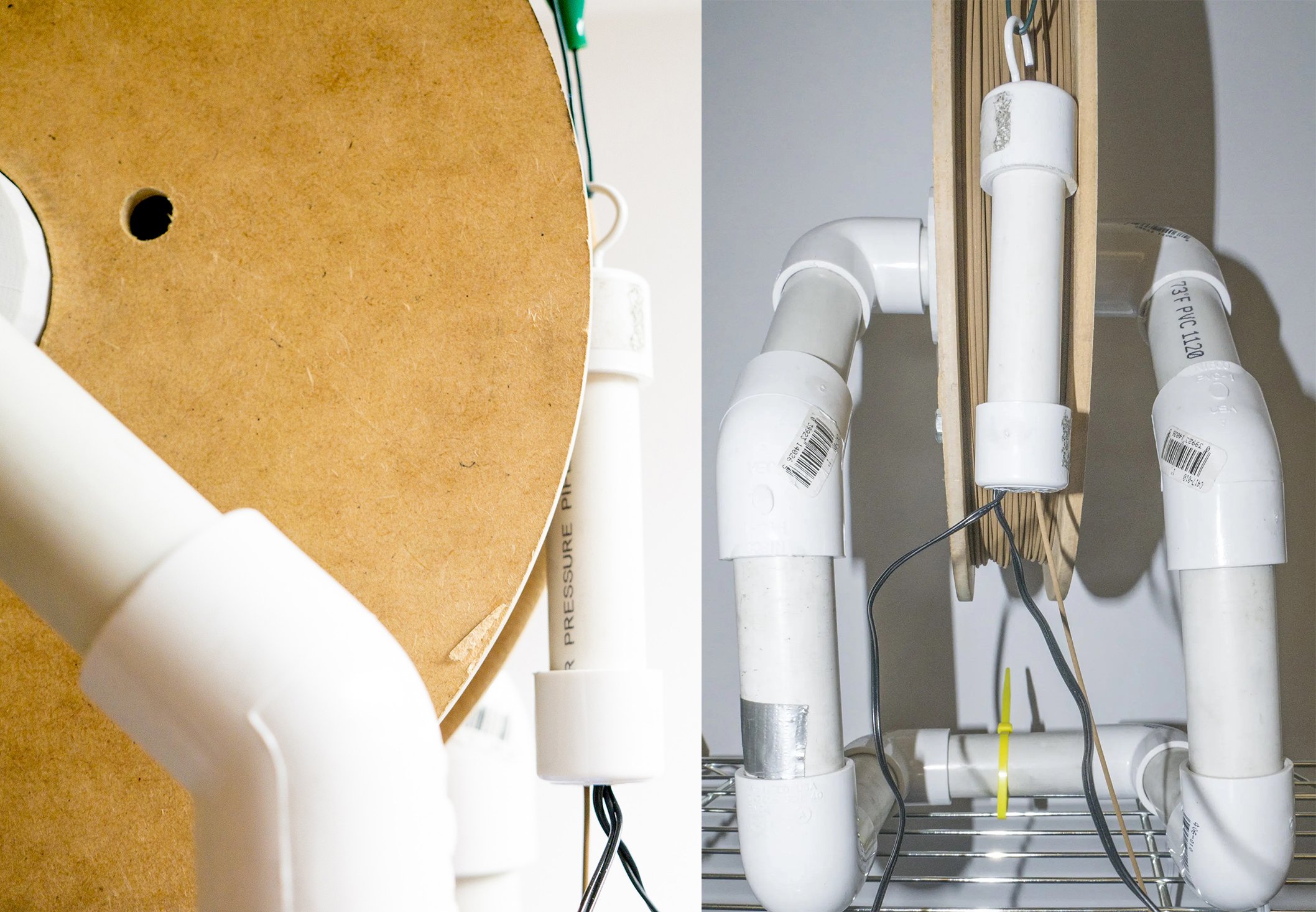
Ensuring consistent filament temperature is crucial for optimal 3D printing results. Utilize the Filawarmer to preheat your Filamet™ filaments, maintaining a steady temperature throughout the printing process to prevent brittleness and improve print quality.
What are the benefits of using a filament warmer?
The benefits of using a filament warmer include improved filament flexibility, reduced brittleness, and enhanced print quality. By maintaining optimal temperatures, it ensures consistent extrusion and better adhesion during the 3D printing process.
How to clean a filament warmer effectively?
Cleaning a filament warmer effectively involves unplugging the device, allowing it to cool, and using a soft cloth or brush to remove any dust or residue. Avoid harsh chemicals to maintain its integrity.
What is the lifespan of metal filament?
The lifespan of metal filament depends on storage conditions and environmental factors. When stored properly in a cool, dry place, metal filament can last for several months to over a year without significant degradation.
How to recognize quality metal filament brands?
Recognizing quality metal filament brands involves checking for consistent diameter, low moisture absorption, and positive user reviews. Look for certifications or specifications that ensure compatibility with your 3D printer and reliable performance.
What are the effects of cold filament on prints?
The effects of cold filament on prints can lead to issues such as poor layer adhesion, increased brittleness, and overall print failure. Properly warming the filament with a Filawarmer helps mitigate these problems, ensuring better print quality and durability.
How to calibrate a 3D printer for metal filament?
Calibrating a 3D printer for metal filament involves adjusting the nozzle temperature, bed temperature, and print speed to suit the specific properties of the filament. Ensure proper adhesion and reduce brittleness for optimal results.
What are the best practices for filament handling?
The best practices for filament handling include storing filaments in a cool, dry place, using airtight containers to prevent moisture absorption, and ensuring that the filament is properly fed into the printer without excessive tension or bends.
How to improve layer adhesion in metal prints?
Improving layer adhesion in metal prints involves using the Filawarmer to preheat the filament, ensuring optimal extrusion temperatures, and maintaining a consistent build chamber temperature to reduce thermal stresses during printing.
What troubleshooting steps for filament-related issues?
Troubleshooting filament-related issues involves checking for proper filament storage, ensuring the Filawarmer is used to reduce brittleness, verifying printer settings, and inspecting the nozzle for clogs. Adjust these factors to improve print quality and consistency.