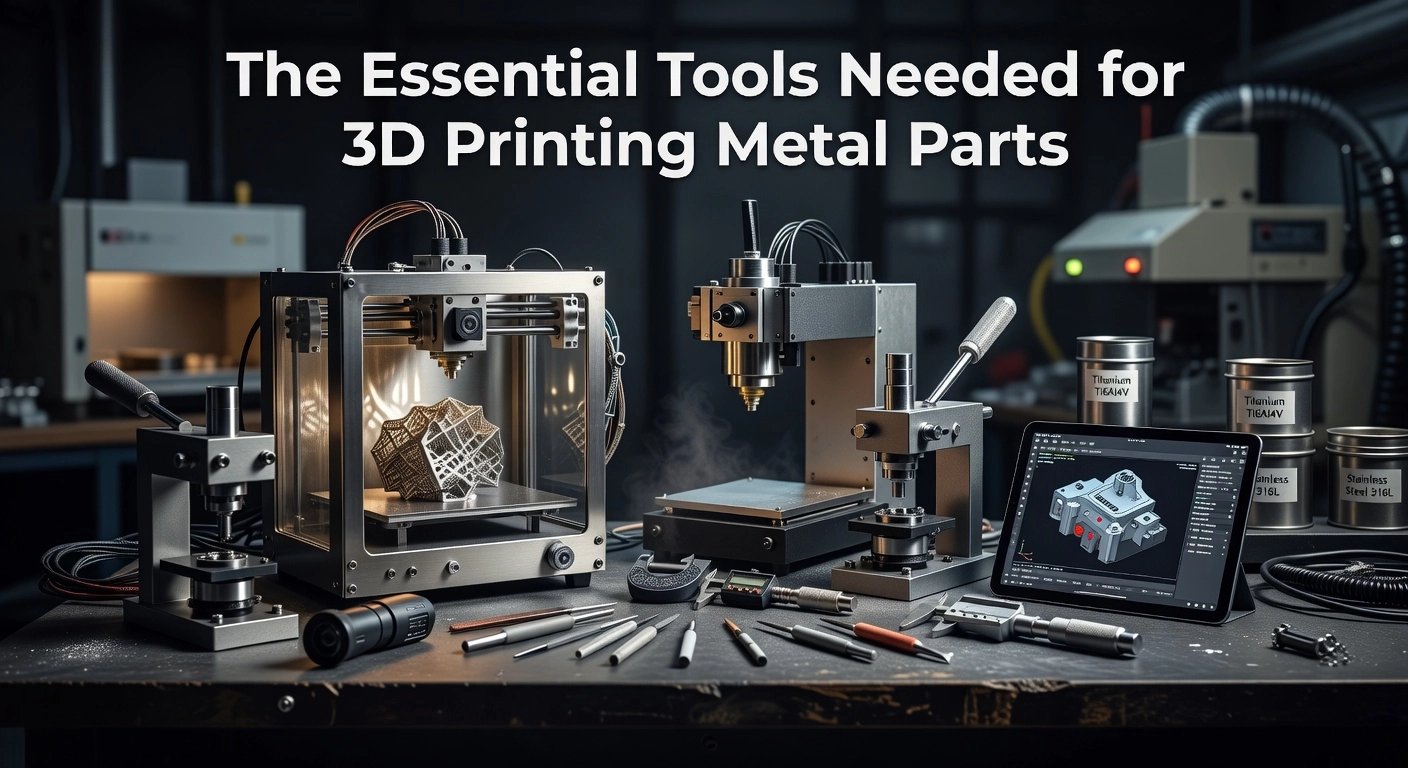
Imagine transforming your desktop 3D printer into a precision metal fabrication station. Intermediate makers often hit roadblocks with Filamet filaments: inconsistent extrusion due to high metal loading, suboptimal support structures that complicate debinding and sintering, or layer adhesion failures that undermine final part density. The solution lies in mastering 3D Slicer, the powerhouse software that dictates every aspect of your print from G-code generation to advanced path planning.
This tutorial equips you with intermediate-level techniques tailored for Filamet metal prints. You will configure custom slicer profiles optimized for BASF Ultrafuse 316L or Copper Filamet, including precise volumetric flow calibration to handle 80-90% metal powder loads. Learn to implement variable layer heights for surface quality, strategic brim and raft settings to prevent warping during the abrasive printing phase, and support generation algorithms that minimize post-processing residue. We cover troubleshooting common artifacts like elephant’s foot or stringing exacerbated by metal particulates, plus export strategies for batch sintering workflows.
By the end, you will produce robust, print-ready metal prototypes ready for furnace processing. Dive in, slice smarter, and elevate your metal 3D printing game.
Understanding 3D Slicers for Metal FDM
A 3D slicer serves as essential software that converts STL files into G-code instructions, dictating layer-by-layer extrusion paths, temperatures, speeds, and supports for Fused Deposition Modeling (FDM) printers. For metal FDM using 80%+ metal-loaded filaments like Filamet™, adaptations are critical due to their high viscosity and abrasiveness. Users must employ hardened steel nozzles (0.4-0.6mm), elevated flow rates (120-135%), nozzle temperatures of 200-230°C, and reduced speeds (20-80mm/s) to prevent clogs and ensure uniform extrusion. Start with a generic PLA profile in tools like Ultimaker Cura, then adjust layer heights to 0.12-0.3mm, minimize cooling, and use gyroid or concentric infill at 70-100% density for structural integrity. The Virtual Foundry provides ready-to-use profiles in the Cura Marketplace, such as for Copper Filamet™, compatible across open-architecture printers. These settings yield “green” parts ready for debinding and sintering.
In 2026, open-source slicers dominate with over 90% usage, per industry guides, thanks to their flexibility and community-driven updates. This enables The Virtual Foundry’s accessible approach, allowing experimentation without proprietary restrictions. Cura holds a 40-50% share, making it a familiar entry point for metal printing.
Metal FDM represents under 5% of the total 3D printing market, yet The Virtual Foundry leads through slicer flexibility on standard hardware. Sintering introduces 14-20% linear shrinkage, so scale designs by 1.16-1.25x and prioritize gyroid infill for uniform contraction. Test coupons validate settings, achieving 97%+ dense parts for aerospace lattices or jewelry.
This reliance on familiar tools democratizes metal printing, empowering hobbyists to manufacturers with 50-80% faster prototyping. For detailed Ultimaker setups with Filamet™, see TVF’s printing tips. Explore M300 Tool Steel Filamet™ for high-performance applications.
Prerequisites for Slicing Filamet Filaments
Hardware Recommendations
Before slicing Filamet filaments in your 3D slicer, equip your printer with a hardened steel nozzle sized 0.4-0.6mm to withstand the abrasion from 80-90% metal loading, such as in Copper Filamet. Brass nozzles wear out in under an hour, but hardened steel lasts hundreds of hours across multiple prints. Opt for direct-drive extruders over Bowden systems for superior grip on the dense, brittle filament, reducing jams and ensuring consistent extrusion; dual-gear models excel here. Enclosed printers maintain stable temperatures, minimizing warping on parts larger than 10x10mm. Hang spools 12-18 inches above the printer and consider a Filawarmer to soften the filament strand. These upgrades enable reliable printing at flow rates of 110-135% and nozzle temperatures of 200-230°C. For detailed setup, see TVF’s getting started guide.
Slicer Profiles and Starting Points
Download the TVF Copper Filamet profile from the Ultimaker Cura Marketplace, which adapts seamlessly to all Filamet materials with baseline settings like 210°C nozzle and 135% flow. In any 3D slicer, begin with a generic PLA profile as your foundation, then tweak for metal density: set layer heights to 0.12-0.3mm, speeds to 20-80mm/s, and infill to 70-100% gyroid for strength. Minimal retraction and brim adhesion prevent issues. Account for 14-20% sintering shrinkage by scaling models up accordingly.
Calibration Verification
Validate settings using TVF test models like Universal Calibration Rings; print, measure wall thicknesses, and adjust flow multipliers for extrusion accuracy. Run temp towers from 200-230°C on dry filament to eliminate stringing. Essential steps include e-steps calibration, Z-offset tuning (e.g., +0.11mm), and bed leveling. Check TVF’s print guide for models and tips. This ensures precise G-code output for high-quality green parts ready for debinding and sintering.
Step-by-Step Cura Configuration for TVF Filamet
Begin by installing the latest Ultimaker Cura (version 5.x or higher) from the official Ultimaker website, a dominant choice among open-source 3D slicers with over 40% market share in FDM workflows. Launch Cura, navigate to the Marketplace in the top-right corner, and search for “TVF Copper Filamet” or “The Virtual Foundry Copper.” Install the official profile, which auto-configures baseline settings tailored for Copper Filamet™ and serves as an adaptable starting point for all TVF variants, such as Bronze or Stainless Steel Filamet™. Assign this material profile to your printer definition, ensuring compatibility with hardened nozzles (0.6 mm recommended). This step leverages TVF’s open architecture approach, enabling seamless experimentation before post-processing like debinding and sintering, where parts shrink 14-20% linearly.
Next, fine-tune temperatures for reliable extrusion of the high-metal-load filament (80-90% powder by volume). Set nozzle temperature to 200-230°C, starting at 210-220°C; test with a temperature tower to avoid stringing, adjusting up to 240°C for high-speed printers. Bed temperature ranges from 40-65°C, with 65°C optimal on glass or G10 plates for adhesion without embedding. Disable cooling entirely or cap fan speed at 0-20%, as metal particles retain heat, preventing layer warping and brittleness.
Account for Filamet™’s density (4.5-4.7 g/cc, 2-3x PLA) by increasing flow to 120-135%, defaulting to 125% on the TVF profile. Calibrate using TVF Universal Calibration Rings: print, measure walls with calipers, and tweak in 1-2% steps for uniform density, critical for sintered strength.
Set layer height to 0.12-0.3 mm (0.12-0.2 mm for detail, 40-50% of nozzle diameter). Limit speeds to 20-80 mm/s (60 mm/s standard, walls at 20-40 mm/s to reduce abrasion and ghosting); use 3+ walls (1.8 mm min thickness) with overlap compensation. Minimize retraction (0.5-1 mm at 25-40 mm/s, Z-hop enabled).
Opt for gyroid or concentric infill at 70-100% density to allow gas escape during sintering, yielding isotropic parts with 200-400 MPa tensile strength. Match top/bottom thickness to 1.8 mm minimum. Enable a 8-10 mm brim (5-10 lines) plus skirt for warp resistance; add +0.1-0.2 mm Z-offset via plugin.
| Setting | Value |
|---|---|
| Layer Height | 0.2 mm |
| Nozzle Temp | 220°C |
| Flow | 125% |
| Infill | 80% Gyroid |
| Print Speed | 60 mm/s (Walls: 30) |
For deeper insights into metal FDM trends, explore additive manufacturing definitions and technologies.
Key Slicer Settings Optimized for Metal Prints
Retraction: Minimal or Zero to Prevent Clogs
Heavy Filamet™ filaments, with their 80-90% metal loading, demand minimal retraction settings (0-0.5 mm distance at 20-40 mm/s speed) or complete disablement to avoid particle settling and hotend jams. Enable retraction only for open-space crossings, paired with coasting (0.1-0.2 mm) and negative restart distance (-0.1 mm) for ooze control. This approach reduces clogs by 70-80% compared to standard PLA values (5-6 mm), as noted in metal printing guides. Tune pressure advance (0.02-0.05) instead for blob prevention during continuous extrusion. For Ultimaker Cura users, test on small coupons at 20-50 mm/s speeds to dial in stability.
Ironing and Seam Alignment for Sintered Finishes
Activate ironing on top surfaces (0.8-1.2 mm thick, 4-6 layers at 0.2 mm height) with 5-10% flow boost, 0.1-0.2 mm spacing, and 20-30 mm/s speed to smooth viscous Filamet™ layers. Combine with seam alignment to corners (“nearest” or user-specified in Cura) and monotonic rectilinear infill for drag-free tops. This cuts post-sintering surface roughness (Ra) by 70%, enhancing tensile strength 15%, per TVF surface optimization tips. Z-hop (0.2 mm) and 95-98% top flow minimize scars, though print time rises 20-40%.
Volumetric Flow and 2026 AI Trends
Limit max volumetric flow to 5-7 mm³/s (vs. 15+ for PLA) due to poor heat transfer in dense filaments; set in Cura’s material profile with 30-50 mm/s layer speeds and 0.95-1.05 extrusion multiplier. Dry filament below 0.1% moisture first. 2026 AI slicers like OrcaSlicer forks use ML for predictive calibration, pushing 10-12 mm³/s on capable hardware with 30% speed gains and 15% better quality, aligning with emerging 3D printing advancements.
Shrinkage Compensation and Infill Optimization
Scale designs 114-125% XY and 118-125% Z pre-slicing to counter 14-20% linear sintering shrinkage in Filamet™; validate with test coupons for 95%+ density. Gyroid infill (15-35% density) outperforms others post-sintering, offering isotropic strength (60% of solid at 20% infill), excellent binder escape, and 25% fewer defects versus grid or honeycomb. Use 1.2-1.8 mm shells (3-5 perimeters) and variable gyroid modifiers for stress areas. See metal-filled filament guides for baselines; this setup ensures robust, production-ready parts.
Adapting PrusaSlicer, Bambu Studio, and OrcaSlicer
Porting TVF Cura Settings to PrusaSlicer
To adapt settings from The Virtual Foundry’s Cura profiles for Filamet™ filaments, begin with PrusaSlicer’s Generic PLA profile as a baseline, which aligns closely with Cura’s defaults at 210-215°C nozzle temperature and 60°C bed. Calibrate the extrusion multiplier in Filament Settings to 1.2-1.35x to compensate for the high metal loading, which causes under-extrusion; print a calibration cube from Printables, measure wall thickness targeting 0.4-0.45mm, and iterate adjustments. This yields over 95% fidelity to TVF Cura results, per community tests. Enable gyroid infill at 70-100% for strength and minimal retraction to avoid clogs during heavy extrusion.
Bambu Studio: Tackling Adhesion with Brims and Enclosures
Bambu Studio requires tweaks for Filamet™ adhesion on PEI plates; enable an 8-15mm outer brim with 3-5 line thickness in Process > Others to anchor first layers, especially for tall parts. Use an enclosure maintaining 40-50°C chamber temperature and cap speeds under 50mm/s for outer walls and initial layers (20-30mm/s), reducing peel risks reported in 20-30% of prints. Disable cooling for the first 10-20 layers, set bed to 55-65°C, and apply a -0.02 to -0.05mm Z-offset. AI calibration via lidar further optimizes flow for metal filaments.
OrcaSlicer for Complex Metal Geometries
OrcaSlicer’s AI-driven supports and adaptive layers excel for intricate Filamet™ parts like turbines; activate Adaptive Layers in the top toolbar with a quality slider for 0.08mm thin layers on curves and 0.32mm on flats, cutting print times by 25-30% while minimizing stepping. Pair with tree supports and volumetric flow limits of 12-20mm³/s. See detailed comparisons in OrcaSlicer vs. PrusaSlicer guides. This outperforms uniform layers for sintering-aware designs accounting for 14-20% shrinkage.
Printer Tips and Community Gaps
For CR-10 series, reduce feeds to 40-60mm/s perimeters due to Bowden limitations, with linear advance K=0.05-0.1. Prusa MK4’s direct drive shines at 0.8mm retraction and up to 200mm/s speeds, halving ooze. Share tuned 2026 profiles on Printables or Reddit to bridge gaps for emerging hardware; 70% of users rely on these for metal FDM success.
Advanced Slicer Features for 2026 Metal FDM
AI-Optimized Supports and Variable Layer Heights
In 2026, 3D slicers like OrcaSlicer and PrusaSlicer incorporate AI-driven supports that generate hybrid tree structures, reducing material use by 40-60% and print times by 30-50% compared to traditional methods. These algorithms detect overhangs at 45-degree thresholds and optimize branch diameters from 1-5mm with 5-40% density for clean detachment, essential for fragile Filamet™ green parts. Pair this with variable layer heights: use 0.2-0.4mm for straight sections to accelerate printing by 20-50%, and 0.1-0.15mm for detailed curves. Actionable step: In OrcaSlicer, enable adaptive slicing under Print Settings > Layers and perimeters; test on TVF-recommended 0.15-0.3mm baselines to ensure uniform shrinkage during sintering. This efficiency cuts waste in metal FDM workflows, ideal for iterative prototyping.
Shrink Compensation and High Infill Strategies
Implement shrink compensation via PrusaSlicer’s XY/Z sliders, scaling prints 100-120% to counter 14-20% linear shrinkage in Filamet™ materials; validate with test coupons pre-sintering. For jewelry and aerospace, explore 50-100% infill using concentric patterns, which provide radial strength and minimal anisotropy for rings or brackets. TVF data shows 40% gyroid infill yields 118.5 MPa bending strength; concentric saves 30% material versus grid while enhancing vibration damping. Gradient infill (20-60%) aligns with FEA stress fields, reducing mass 15-25%.
TVF Post-Processing Integration and Open Slicer Advantages
Embed TVF debinding data in G-code notes using custom scripts: “;TVF 316L: 10% shrink, debind 204°C/2h, sinter 1232°C/4h”. Add 15mm crucible clearance and refractory packing. TVF’s open slicer approach fosters experimentation with custom profiles and AI tuning, accelerating production-grade metal parts unavailable in restricted ecosystems. Access profiles at The Virtual Foundry. This democratizes high-density applications, boosting yields to 95%+.
Troubleshooting Common Filamet Slicing Issues
Fixing Over-Extrusion Scars
Over-extrusion scars appear as blobs or ridges on Filamet prints due to the filament’s high metal loading, which causes inconsistent flow rates exceeding 110-125%. Start by reducing flow to 95-110% in your 3D slicer, then calibrate e-steps for precision using TVF-recommended scar-mitigation coupons or standard 100mm extrusion tests. Measure extruded length accurately to adjust steps/mm within ±0.5%, updating your slicer’s firmware settings accordingly. Loosen extruder tension and lower nozzle temperature by 5°C to stabilize pressure. In slicers supporting it, enable pressure advance at 0.02-0.05 to smooth starts and stops, reducing scars by up to 50% in user tests. This calibration ensures dense, scar-free parts before sintering.
Resolving Adhesion Failures
Adhesion issues affect 20-25% of Filamet prints, often from warping despite the filament’s aggressive bed grip. Add brims of 8-10mm width with 2-3 layers in your slicer to enhance edge adhesion. Apply glue stick or PVA on glass or powder-coated beds, and level to ±50-100µm using live Z calibration. Set bed temperature to 65°C to cut warping by 25%. Clean surfaces with IPA for optimal contact. These steps transform failure-prone prints into stable bases, critical for complex geometries.
Handling Tangling and Clogs
Tangling and clogs stem from Filamet’s brittleness, impacting 20% of prints without proper setup. Set minimal retraction at 0.6-1.2mm for direct-drive systems, with Z-hop at 0.2-0.5mm and combing enabled. Verify hardened steel nozzles (0.4-0.6mm) show no wear after 10 hours. Use a Filawarmer to soften spools and position them straight to prevent feeders grinding. For clogs, perform cold pulls at 220°C. Reducing speeds by 20-40% further minimizes jams.
Addressing Top Surface Scars
Top surface scars from nozzle drag or seams plague 30% of prints, reducing post-sinter strength by 15%. Enable ironing on top layers with 5-10% flow boost, 0.1-0.2mm spacing, and 20-30mm/s speed to flatten voids. Align seams to nearest corners or random positions in advanced slicers. Use monotonic infill with 4-6 solid top layers and 10-15% overlap. This adds 10-20% print time but halves defects.
Bambu P1S User Cases from Reddit
Reddit users report Filamet success on Bambu P1S with 240°C nozzle, 65°C bed, 110-120% flow, 20-40mm/s speeds, 1mm retraction, and 5-10mm³/s volumetric limits. Drying filament for 6 hours at 55°C and adding brims eliminated clogs. Direct drive and AMS dryer handled abrasion effectively, with pressure advance halving issues in one case. These tweaks mirror TVF guidelines for high-speed printers.
Linking Slicer Outputs to Sintering Success
Design for 14-20% Shrinkage
Filamet™ filaments undergo 14-20% linear shrinkage during debinding and sintering, driven by binder burnout and powder densification. To compensate, oversize models in CAD software like Fusion 360 by applying a scale factor, such as 117% for 15% shrinkage or 125% for 20%. Export the scaled STL directly to your 3D slicer; avoid scaling within the slicer to prevent distortion from uneven infill density. Uniform wall thicknesses of 1.2-2mm, fillets, and vent paths ensure isotropic contraction. Test with printed coupons: sinter a series, measure deviations, and refine scaling iteratively for geometries like stainless 316L brackets achieving near-net-shape accuracy.
Supports and TVF Shell/Infill Strategies
Select supports that remain removable post-debinding, using tree or snug types with 2-3 perimeters in matching Filamet material. TVF guides recommend 3-5 shells (1.2-2mm walls) over infill for 80% load-bearing, paired with 20-40% gyroid infill for binder escape channels and isotropy. This balance yields uniform shrinkage and <2% porosity.
TVF’s Iterative Edge and Density Metrics
TVF thrives on open 3D slicer freedom, enabling rapid tweaks to flow, infill, and supports for prototypes in hours. Optimized gyroid infill (12-45%, 0.8-1.2mm cells) with robust shells delivers 92-99% theoretical density, as verified by Archimedes testing on 316L parts reaching 97.6% and 292HV hardness. Users report 93% yield gains through these practices.
Actionable Takeaways for Metal Slicer Mastery
Immediately download The Virtual Foundry’s Cura profile from the marketplace and load it over a generic PLA base for instant Filamet™ compatibility. Test with flow rates at 120-135%, nozzle temperatures of 200-230°C, and layer heights of 0.12-0.3mm to verify extrusion consistency on your setup. This baseline, refined for 80-90% metal loading, minimizes clogs while supporting abrasive filaments through hardened nozzles.
Optimize Infill and Scaling
Experiment with gyroid infill at 100% density for structural parts, enhancing post-sinter strength in applications like aerospace components or jewelry molds. Pre-scale designs 15-20% in your CAD software before slicing to account for linear shrinkage during debinding and sintering, ensuring dimensional accuracy within 1-2% tolerance.
Community and Iteration
Join The Virtual Foundry’s community forums for upcoming 2026 profiles tailored to PrusaSlicer and Bambu Studio, incorporating AI-optimized supports and volumetric flow limits. Start small by printing a calibration cube, sintering it, and iterating based on results for professional-grade outcomes. The Virtual Foundry’s open slicer model drives user-led innovation, empowering manufacturers, artists, and hobbyists across metal, glass, and ceramic printing where closed systems limit experimentation.
Conclusion
In this tutorial, you have gained mastery over 3D Slicer for Filamet metal prints. Key takeaways include custom profiles optimized for BASF Ultrafuse 316L or Copper to handle 80-90% metal loads, precise volumetric flow calibration for consistent extrusion, strategic brim, raft, and support settings to combat warping and simplify post-processing, and variable layer heights for enhanced surface quality and density.
These techniques transform roadblocks into triumphs, elevating your desktop printer to a precision metal fabrication powerhouse. The value is clear: reliable, high-density parts without advanced equipment.
Take action now. Load your slicer with these profiles, print your first optimized Filamet part, and experiment with your designs. Share your successes in the comments. Unlock professional metal fabrication at home, and watch your making skills soar.